01 Highlights
1.1 Basic Formula
Seedance 2.0 deeply follows natural language logic, allowing you to flexibly combine the following elements based on your needs.
1.2 Multi-modal Control
Beyond text descriptions, you can also upload assets to lock in your ideal visual standards. Seedance 2.0 supports deep referencing of images, audio, and video.
🎯 Explicit Reference
Clearly specify reference objects in your prompt, e.g. "reference the composition of Image 1" or "reference the action from Video 2".
✨ Precise Control
The model automatically extracts core features from reference objects and combines them with text for creation, maintaining high fidelity while preserving creativity.
Text Gen
2.1 Slogan
✨Prompt Template
Final Result
References
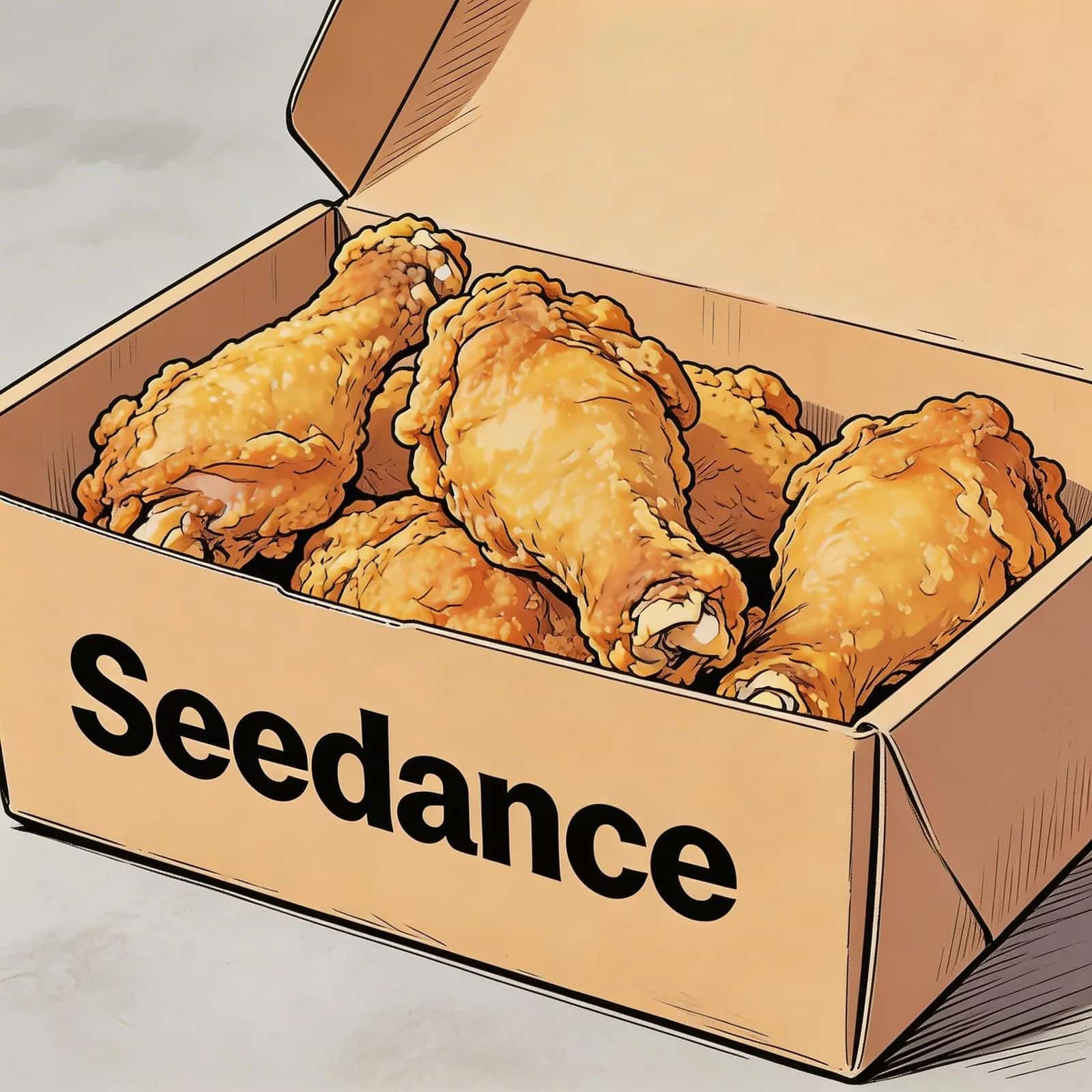
Image 1
📝 Prompt
@Image 1, friendly and joyful atmosphere, then the screen gradually blurs, displaying the text "Joy is in Seedance" in the center.2.2 Subtitles
✨Prompt Template
Final Result
References
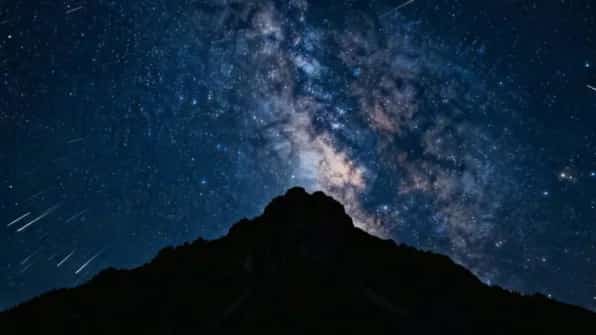
Image 1
📝 Prompt
Final Result
References
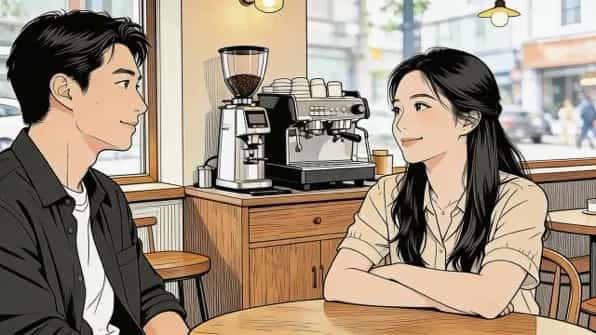
Image 1
📝 Prompt
2.3 Speech Bubbles
✨Prompt Template
Final Result
References
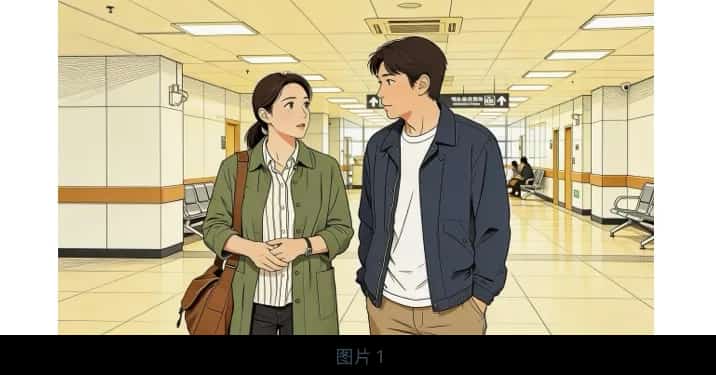
Image 1
📝 Prompt
@Image 1 are jogging on a school track in sportswear. The girl looks at the boy and says confidently: "We can definitely do it!" Cut to a close-up of the boy, who hesitantly replies: "Are you sure?" Cut back to a medium close-up of the girl, who says cheerfully: "Yes!" The mood is bright and determined. Speech bubbles appear around the speaking character with the dialogue.Final Result
References
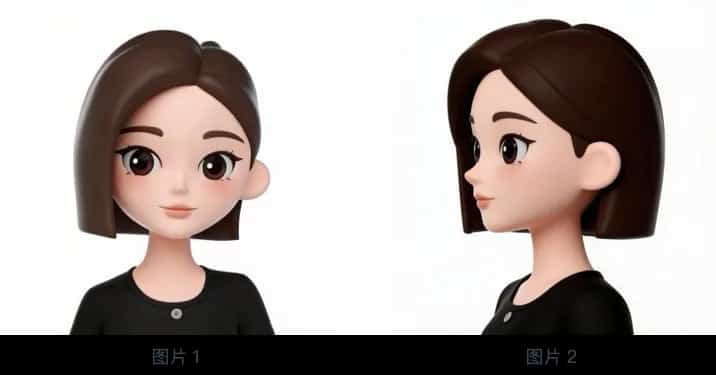
Image 1
📝 Prompt
@Image 1 and @Image 2. The girl is in a strawberry garden, picks one, takes a bite, and says with a smile: "This is the real deal!" A speech bubble appears around her containing the dialogue.Image Ref
3.1 Multi-view Reference
✨Prompt Template
Final Result
References
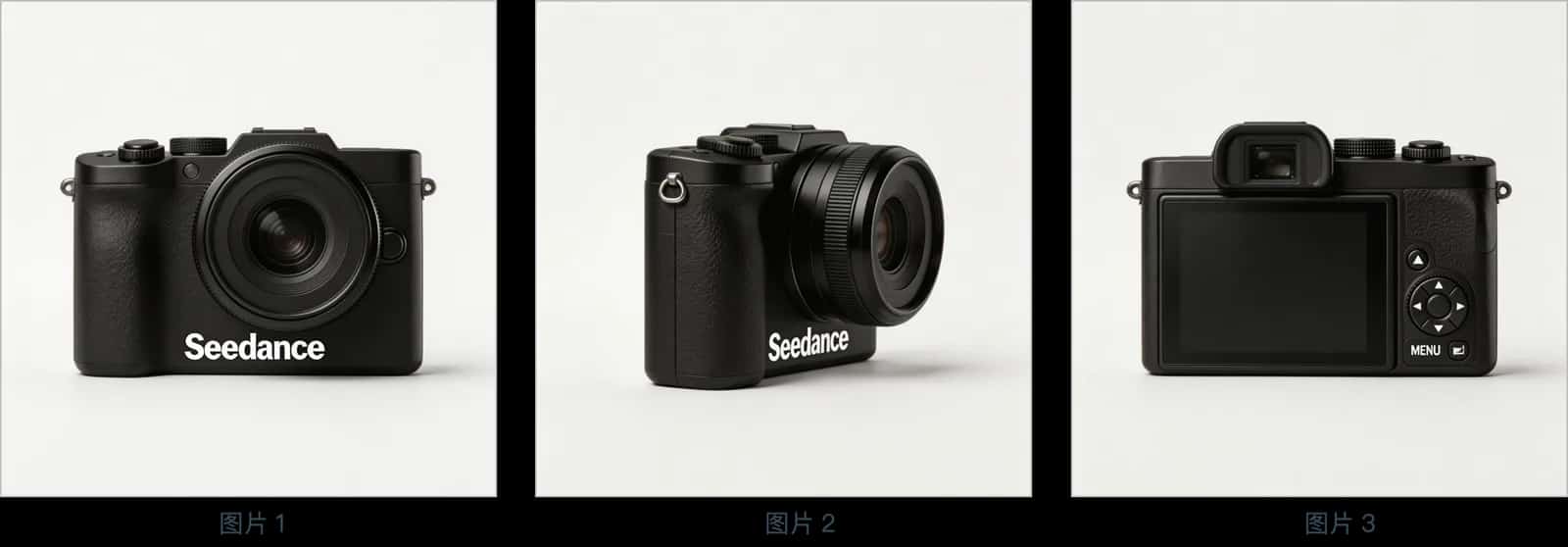
Image 1,2,3
📝 Prompt
@Image 1, @Image 2, @Image 3, change the background to white. The camera is on a white table, the lens focuses on the camera in close-up, then slowly rotates around it, clearly showing the front, side, and back.Final Result
References
Image 1,2,3
📝 Prompt
Final Result
References
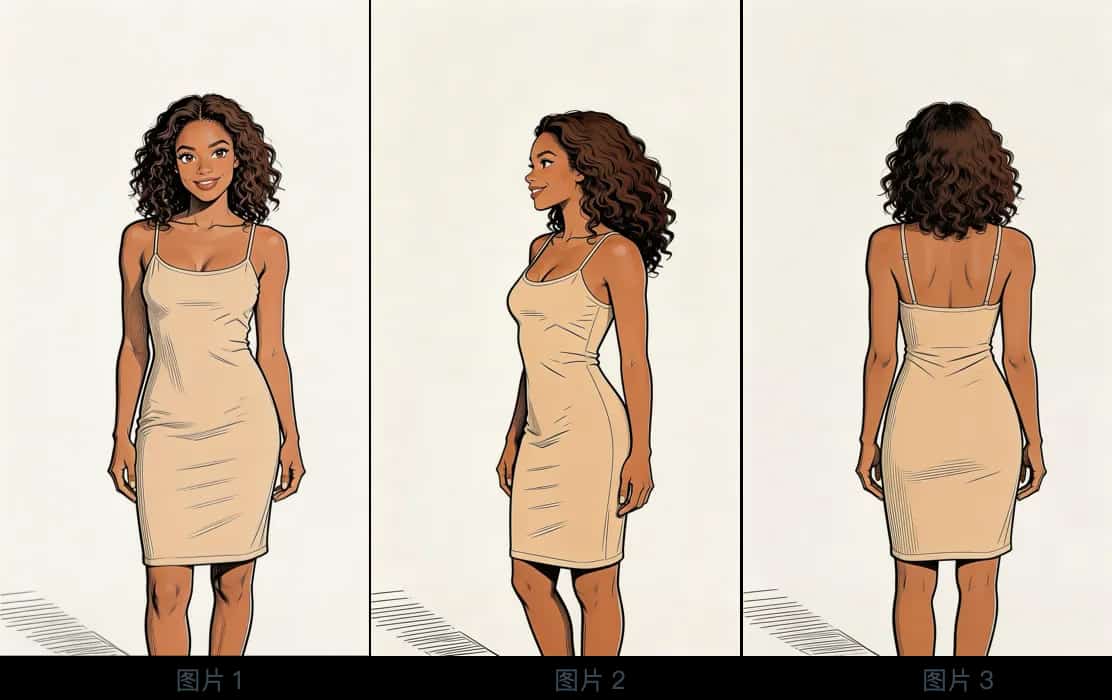
Image 1,2,3
📝 Prompt
@Image 1, @Image 2, @Image 3, generate a scene of her eating cake in a café.3.2 Multi-element Reference
✨Prompt Template
Final Result
References
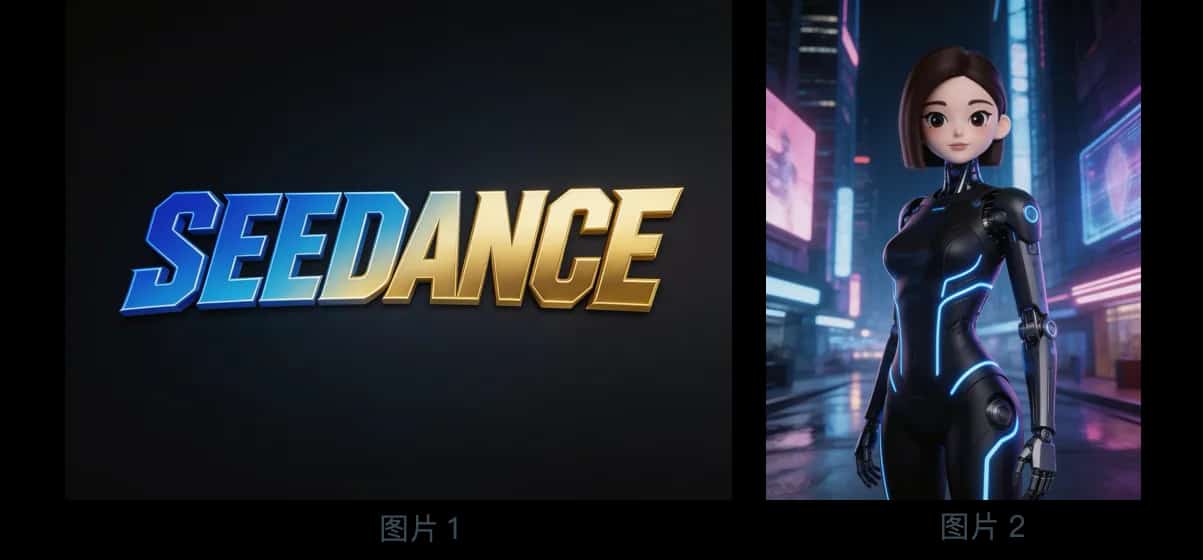
Logo & Reference
📝 Prompt
@Image 2, first show a mid-shot of her releasing silver floating lanterns with holographic projections, then pull back to reveal floating lanterns filling the sky. The image gradually blurs, then the Logo from @Image 1 appears. Overall style is 3D cyberpunk sci-fi animation.Final Result
References
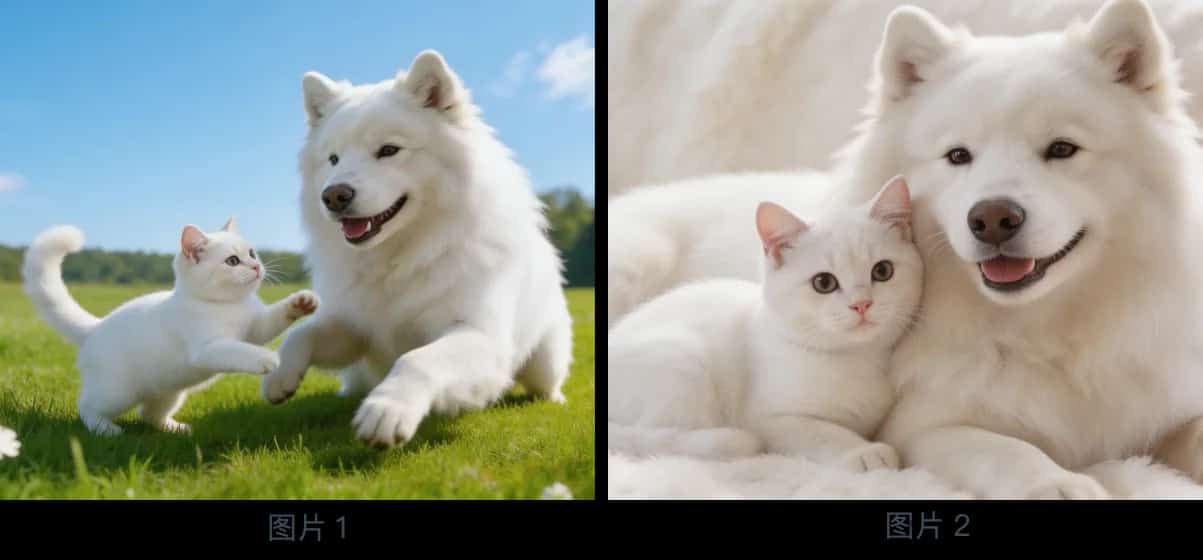
Multi-image Assets
📝 Prompt
Final Result
References
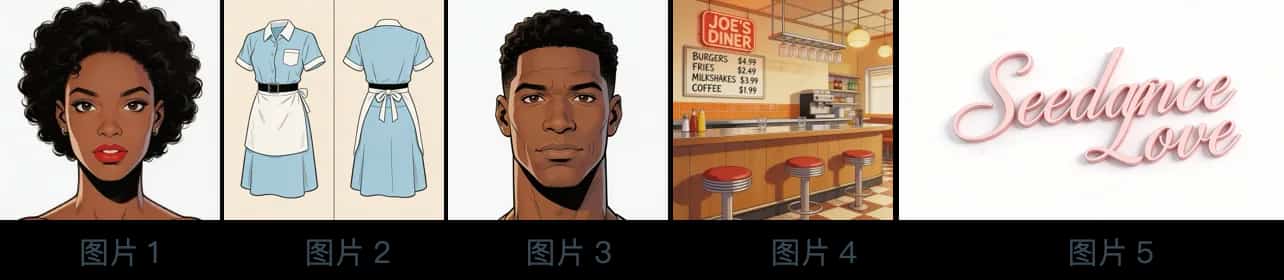
Five-image Combo
📝 Prompt
@Image 4, bustling with customers. The girl from @Image 1 is wearing the outfit from @Image 2, organizing items on the counter. The boy from @Image 3 is a customer who walks up, wanting to ask for her contact information. The logo from @Image 5 is always displayed in the bottom-right corner.Final Result
References
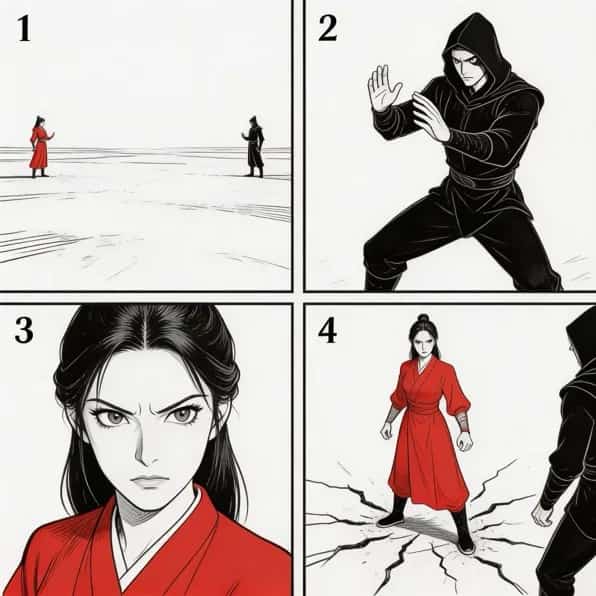
Storyboard
📝 Prompt
Final Result
References
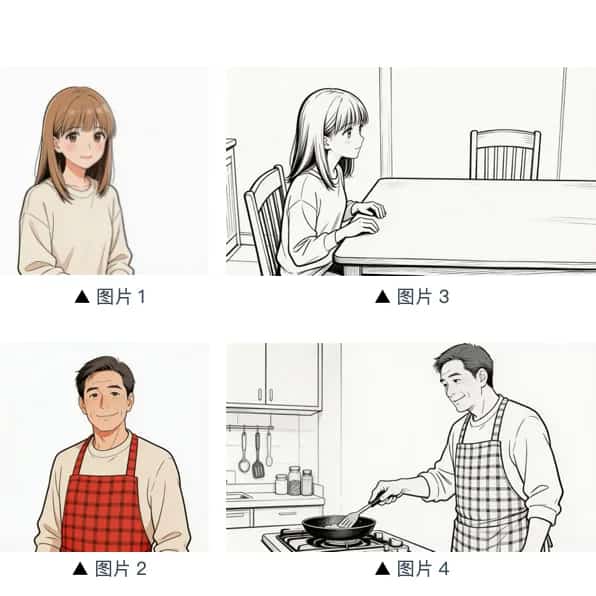
Character Storyboard
📝 Prompt
@Image 3. The girl is waiting for dad to finish cooking. She says: "아빠, 배고파요! 밥 다 됐어요?" Her appearance references @Image 1. Then the camera pans right to @Image 4's composition. Dad's appearance references @Image 2. Dad replies: "거의 다 됐어, 조금만 기다려!" Then cut back to a close-up of the daughter's slightly disappointed expression: "아직 멀었어요? 맛있는 냄새 나는데..." Then cut to dad's close-up: "이제 진짜 금방이야. “빨리빨리” 하지 말고 손부터 씬고 와!"Video Ref
4.1 Action Reference
✨Prompt Template
Final Result
References
Video 1
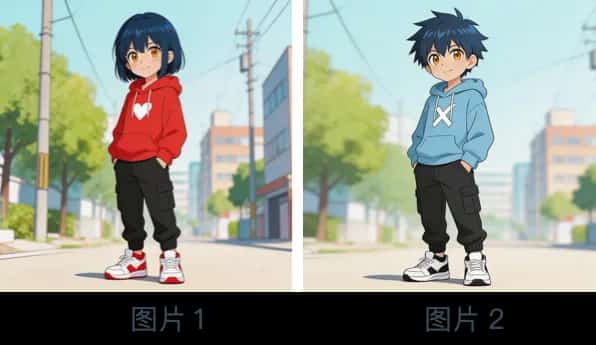
Character Image
📝 Prompt
@Video 1, generate a fight scene with @Image 2 and @Image 1. @Image 2 is the left character, @Image 1 is the right character. With intense background music.Final Result
References
Video 1
📝 Prompt
@Video 1, generate a golden stallion galloping on a grassland, then freeze its magnificent running pose, transforming into a horse-shaped gold pendant.4.2 Camera Reference
✨Prompt Template
Final Result
References
Video 1
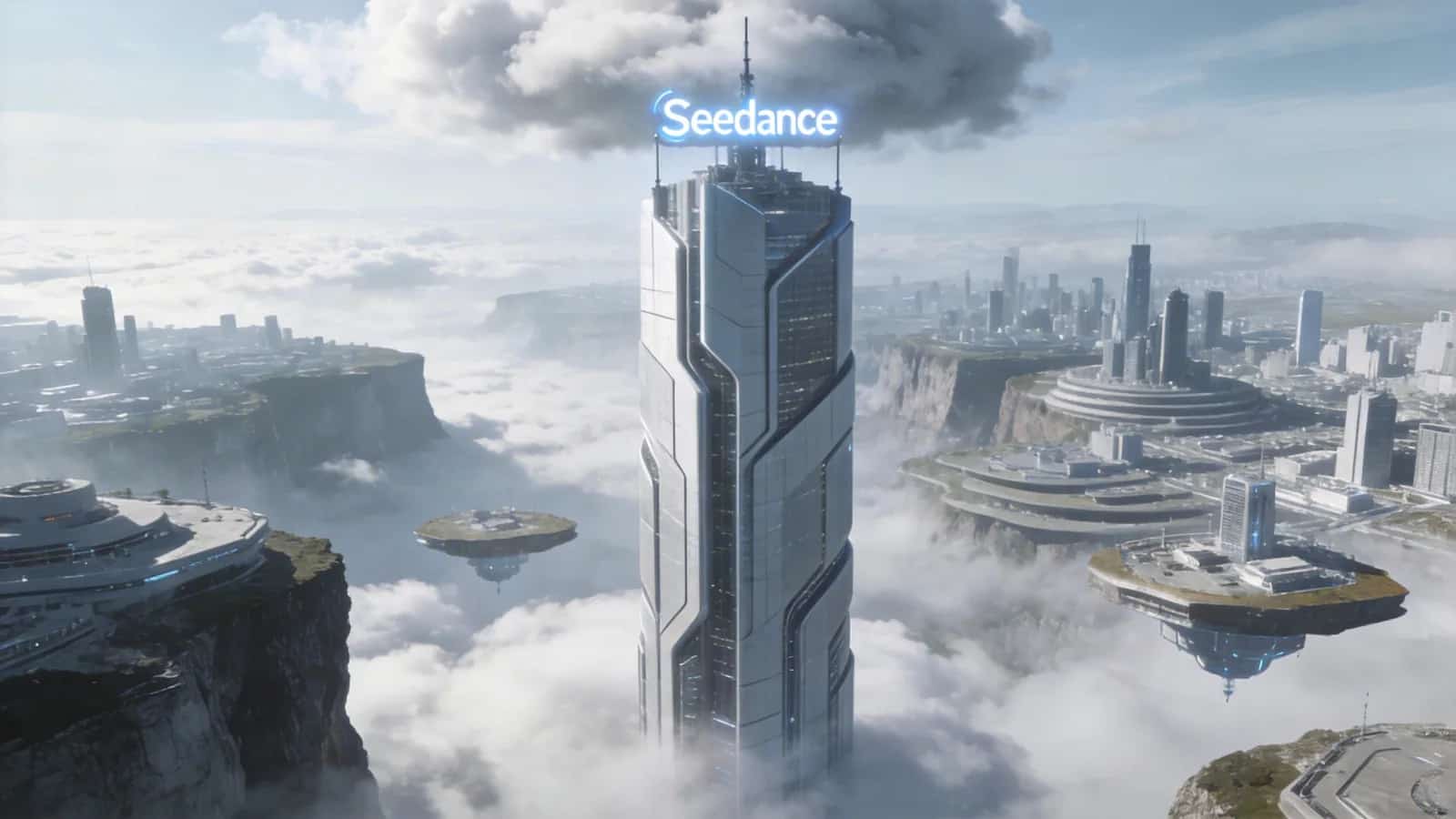
Image 1
📝 Prompt
@Video 1, create a concept video of a tech park with the high-rise from @Image 1 as the visual center, also using a first-person diving perspective, highlighting the tech feel of the park in @Image 1.4.3 VFX Reference
✨Prompt Template
Final Result
References
Video 1
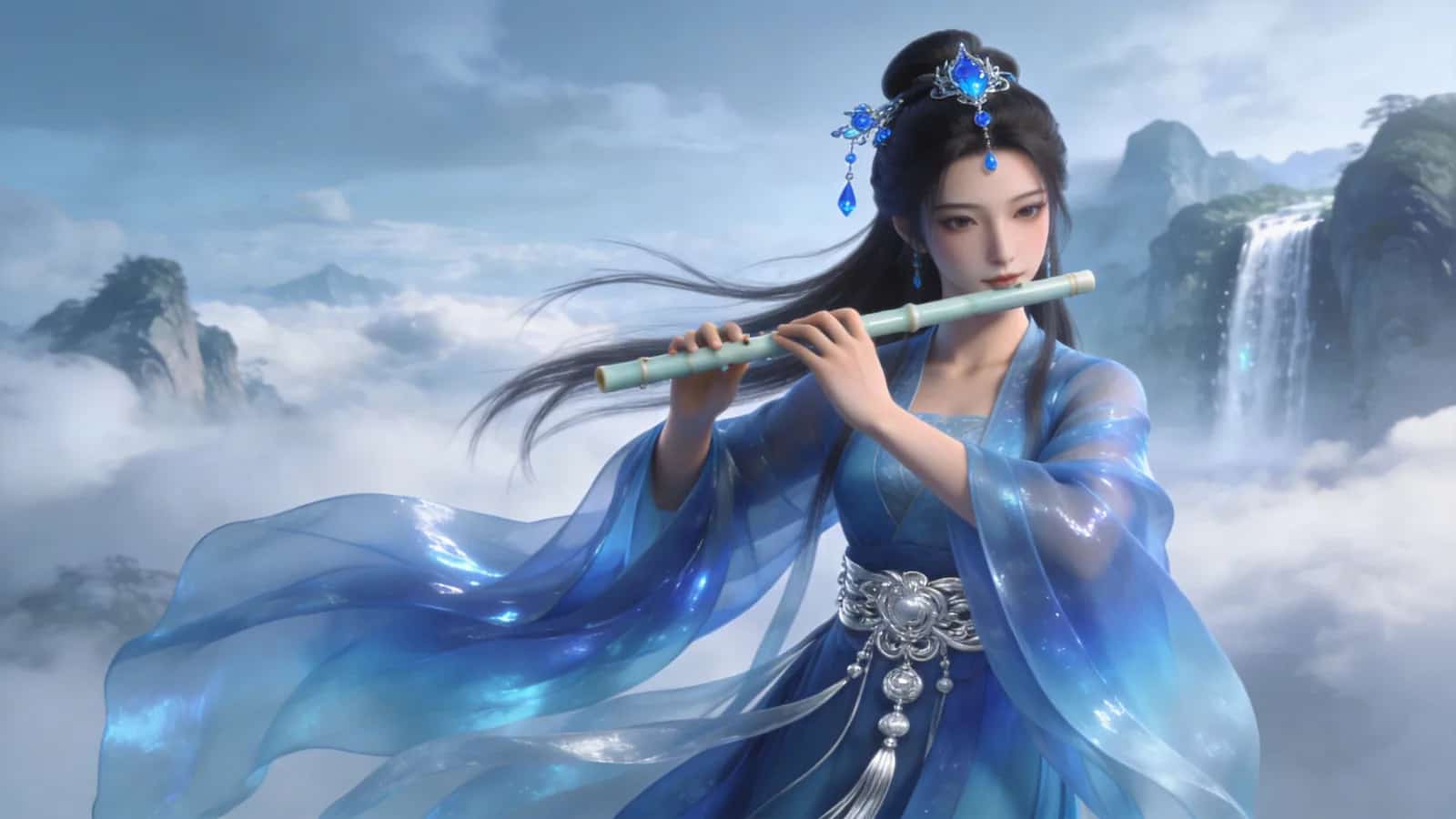
Image 1
📝 Prompt
@Video 1, have the character in @Image 2 playing the flute while surrounded by the same particle effects.Final Result
References
Video 1
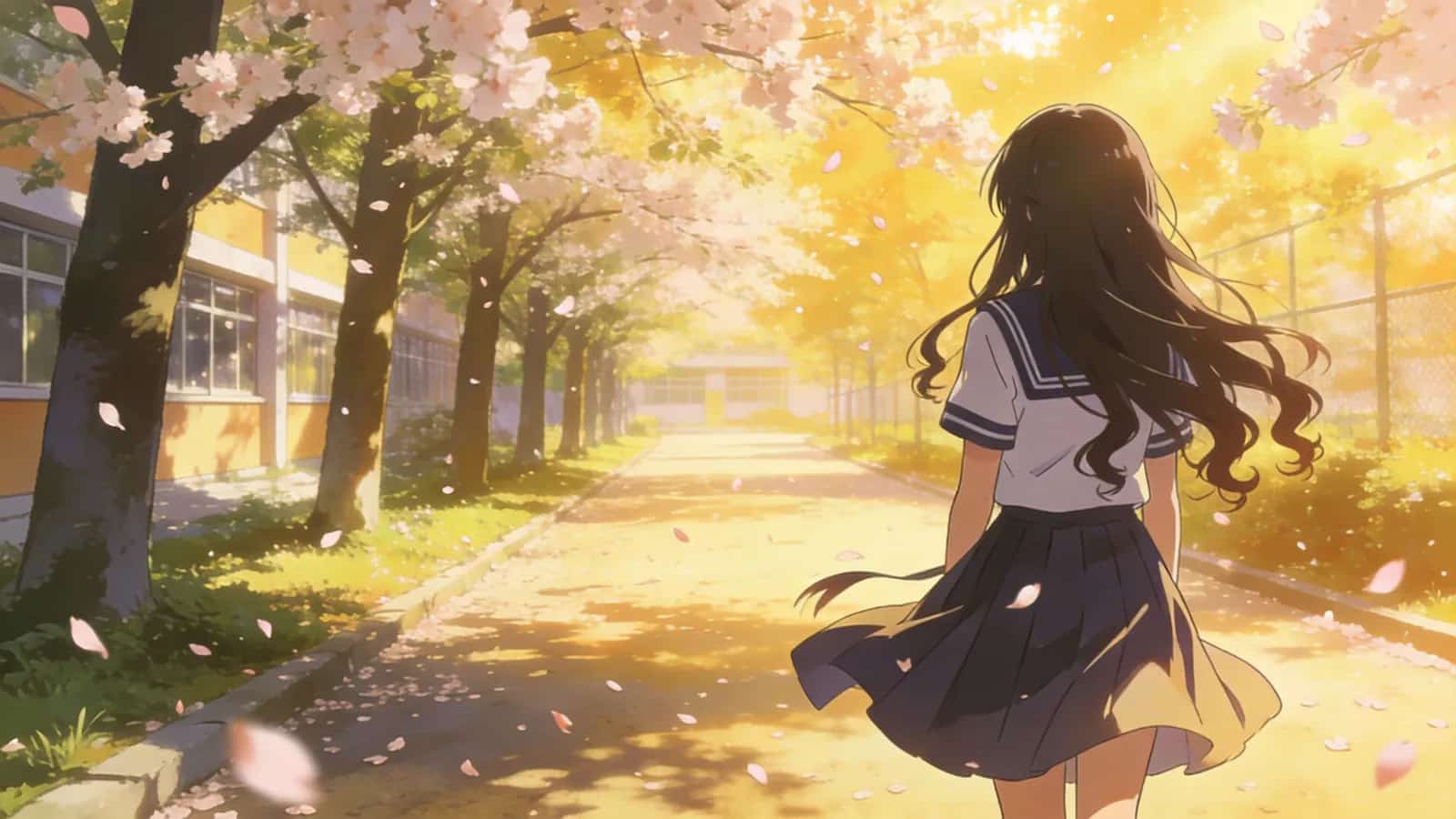
Image 1
📝 Prompt
@Video 1, have the girl in @Image 1 grow the same wings, with the wing generation trajectory matching.Video Edit
5.1 Modify Elements
✨Prompt Template
Remove elements: Remove "element to delete" from "Video n", keep other content unchanged.
Modify elements: Replace "element to replace" in "Video n" with "ideal element description".
Final Result
References
Original Video 1
📝 Prompt
@Video 1.Final Result
References
Original Video 1
📝 Prompt
@Video 1, keep the desktop clean and tidy, leaving only what they're holding.Final Result
References
Original Video 1
Replacement Asset 1
📝 Prompt
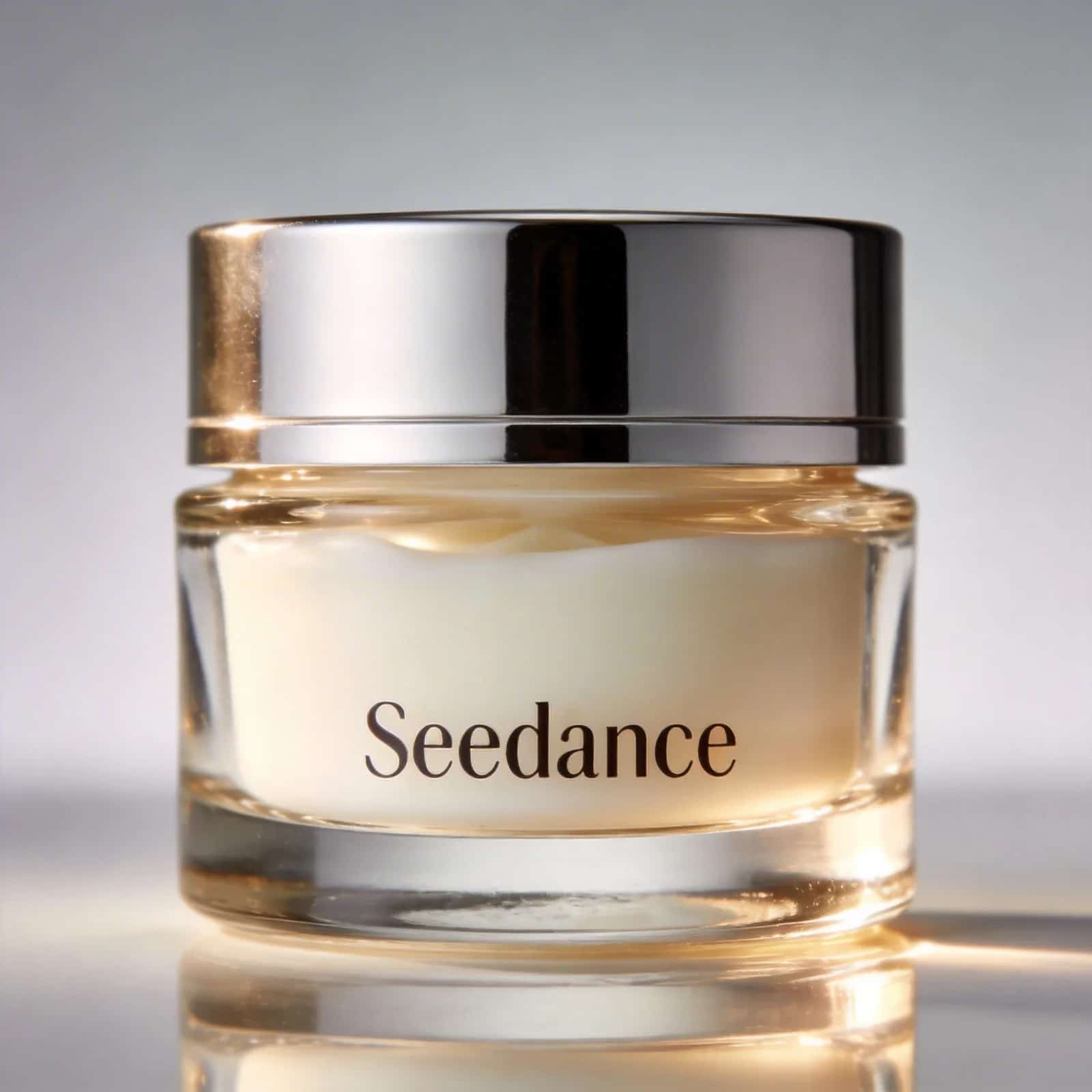
@Video 1 with the face cream from @Image 1, keeping the motion and camera movement unchanged.5.2 Extend Video
✨Prompt Template
- Generate content before/after "Video n" + "description of extended video"
Final Result
References
Video 1
📝 Prompt
@Video 1: two late-arriving men run towards them, the five finally meet and chat happily.Final Result
References
Video 1
📝 Prompt
@Video 1 forward, give the man in white an over-the-shoulder shot. He says: "It's not that bad. You're just stressed. Everyone goes through this, you just need to keep going."5.3 Splice Tracks
✨Prompt Template
Final Result
References
Video 1
Video 2
📝 Prompt
@Video 1, the moment the leaf touches the ground, golden particle effects burst out, a breeze blows through, cut to @Video 2.Best Practices
Core Principles
1. Be Specific: The clearer and more precise your prompt, the less likely you'll get unpredictable or bizarre results.
2. Less is More: Don't overload subjects or actions with too many modifiers — it blurs the focus.
3. Leverage References: When text alone can't describe a complex composition, camera movement, or effect, find suitable image and video assets to assist.
4. Physical Plausibility: Avoid describing physically impossible scenarios — the model relies on real-world physics to some extent.
💡 Universal Starter Formula
[Scene type] + [Subject 1][State 1] + [Subject 2][State 2] + [Environment] + [Lighting & Mood] + [Camera Movement]